Useful before you buy. Essential after.
How-to guides, FAQs, troubleshooting and update logs for your smartphone, tablet, laptop and more — written by people who own the same thing, and updated as products change.
Don’t see it? We’ll research it and draft a starter guide automatically — usually live within a couple of minutes.
Browse by category
3 categories · more coming soonSmartphones
Setup, battery tips, camera tricks, troubleshooting.
Tablets
Multitasking, accessories, syncing, common quirks.
Laptops & Desktops
Performance, storage, backups, software conflicts.
Trending this week
View all guides →Pixel 9 Pro
Everything owners ask about setup, cameras, battery and the odd glitch — kept current as Google ships updates.
Quick start
Sign in with your Google account and restore from your last backup, or start fresh.
Turn on Adaptive Battery in Settings → Battery to add roughly 20% more screen time.
Pair a watch or earbuds from Settings → Connected devices — auto-switch works best if you do this before first use.
Suggested videos to start
Picked by the HaveNotes teamCommunity video walkthroughs
Shared with everyone who visits this pageStill stuck? The full troubleshooting library and the community below can usually help.
Just browsing
No account needed
Free account
$0, no card required
Already have an account? Log in
Activity
Products you've recently looked up, most recent first.
Guides you've saved with the bookmark icon.
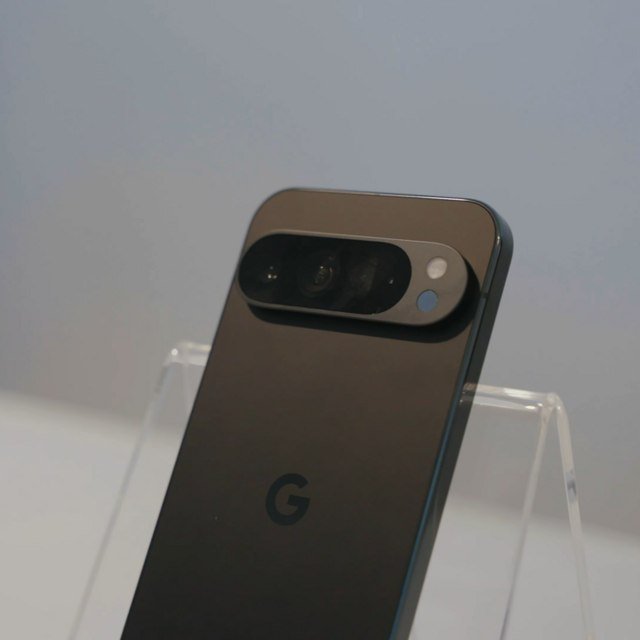
Pixel 9 Pro
This tab is for members
Troubleshooting, FAQs and update history are part of a free account. Guests can still view the How-To tab and like this guide.
Smartphones
Owner guides for this category.
Comments post immediately — only ones an automatic check flags as spam, a bot, or abusive land here. Approving or rejecting is real: it changes what everyone else sees. This page is gated by your account’s staff flag, checked on every request — it’s just not linked from anywhere a regular visitor would end up.
Flagged for review
Everything else already went live on its own. Honest negative feedback about a product isn’t flagged — only spam, bot-like posts, and rude or abusive language are.
Flagged comments
Pending AI-drafted guides
Every fresh guide still shows to visitors right away — this is just the fast path to catch and reject a bad one (wrong product, wrong category, off-topic) before someone stumbles onto it.